
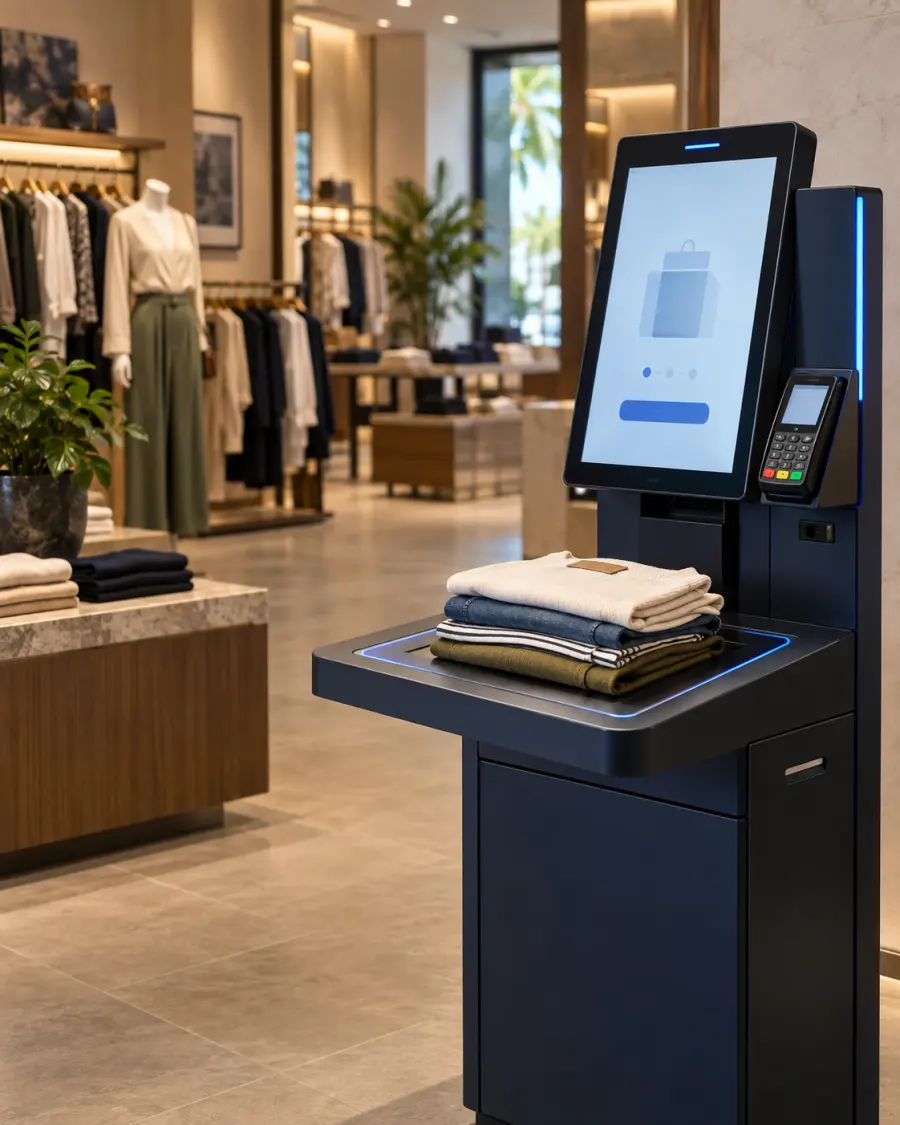
For many clothing stores, the customer finishes selecting garments only to meet a slow, one-item-at-a-time checkout. RFID changes that part of the journey. Instead of finding and aiming every barcode, several tagged items can be identified together inside a controlled checkout zone.
Quick answer
RFID self-checkout is a retail checkout system that identifies tagged products using radio frequency rather than requiring each barcode to be scanned individually. Customers place their garments in the read area, confirm the detected basket, complete payment and receive a receipt. The transaction can then update inventory and security records.
What is RFID self-checkout?
RFID self-checkout combines item-level RFID tags, a controlled reader zone, customer-facing software and payment integration to create a faster, verifiable checkout process.
Each tag holds an identifier linked to the product record. When the garments enter the kiosk’s read zone, the system identifies the individual items and retrieves the product name, size, colour and current price. The customer can review the complete basket before proceeding.
Unlike a barcode, an RFID tag generally does not need to face a scanner. That is what makes the process particularly useful for fashion baskets containing several garments with labels in different positions. GS1’s RFID standards overview explains the underlying identification approach.
How does the customer journey work?
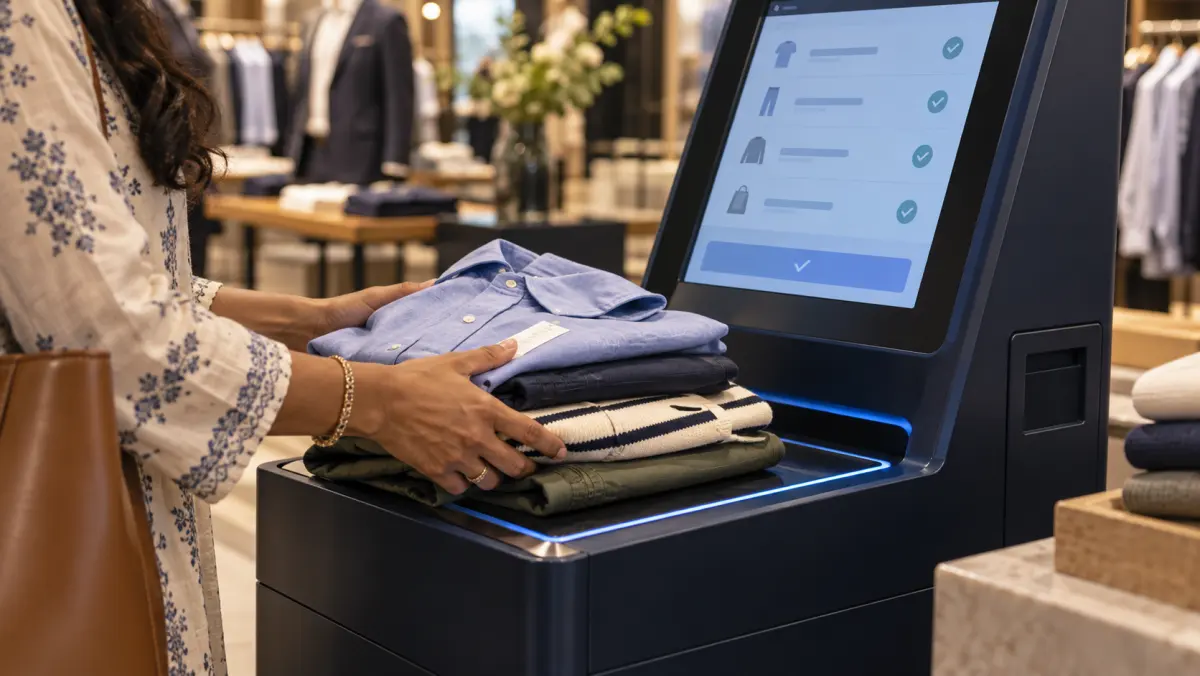
A well-designed journey should feel like four clear actions: place, identify, review and pay.
Place the garments
The customer puts the selected items in or on the controlled RFID checkout area.
Detect the basket
The reader captures the tags together and the software validates the items.
Confirm the details
Products, quantities, prices, offers and loyalty benefits appear for review.
Complete the sale
Payment, receipt, inventory and the required security status are completed.
The screen must make every item and price easy to verify. If the customer sees an unexpected product, quantity or price, the correction and staff-assistance route should be obvious.
How is RFID self-checkout different?
The important difference is not the absence of a cashier. It is how the products are identified.
| Decision factor | Staffed barcode | Barcode self-checkout | RFID self-checkout |
|---|---|---|---|
| Item capture | Staff scans items one at a time | Customer scans items one at a time | Several tagged items can be detected together |
| Line of sight | Barcode must face the scanner | Barcode must face the scanner | Generally not required |
| Customer effort | Low | Customer performs the scans | Place, review and pay |
| Best fit | Assisted service and exceptions | Smaller baskets and simple products | Tagged apparel, volume and automation |
What customer experience advantages can RFID bring?
RFID removes item-by-item barcode handling from self-checkout. The resulting experience can be faster and easier—but only when the interface, payment flow and staff support are designed with equal care.
Several garments together
Customers can present a group of tagged products instead of locating and scanning each barcode separately.
Less work for the shopper
The kiosk handles item identification while the customer focuses on confirming the basket and payment.
Better peak-hour flow
Faster item capture and added checkout points can increase capacity when the complete process performs reliably.
Clear basket control
Customers can verify products, quantities, prices, discounts and loyalty benefits before paying.
More useful assistance
Store associates can focus on sizes, colours, styling and exceptions instead of routine item scanning.
Choice, not compulsion
A staffed option and visible help keep the experience accessible to customers who prefer human service.
“The objective is not to remove people from the store. It is to remove avoidable friction from checkout while keeping help close when the customer needs it.”Flatorb implementation principle
What does the retail operation gain?
The business value comes from connecting the customer-facing checkout to the retailer’s operating systems and item-level records.
- More checkout capacity during busy periods
- Flexible deployment of store associates
- Consistent item capture and basket verification
- Immediate inventory updates after a sale
- Integration with price and promotion rules
- Loyalty and electronic receipt workflows
- Item-level transaction and exception history
- RFID-based security status where designed
RFID does not automatically eliminate queues, errors or loss. Those outcomes depend on store layout, payment time, tag quality, read-zone performance, customer adoption and the exception process.
A kiosk is only the visible part
A dependable RFID self-checkout is a connected retail workflow. Hardware, software and operational controls must agree on what was presented, what was paid for and what should happen next.
RFID tags and encoding
Give every sellable item the correct identity and product relationship.
Controlled read zone
Detect intended items while reducing duplicate, missed and nearby reads.
Customer interface
Show an understandable basket, corrections, help and payment journey.
POS and payment
Apply prices, promotions, loyalty, tax, tenders and receipt rules.
Inventory and ERP
Update verified records and exchange events with existing systems.
Exceptions and support
Train teams, resolve failures, monitor performance and improve adoption.
Read accuracy is a system outcome, not a reader specification. Product materials, tag placement, antenna geometry, nearby items, customer behaviour and software filtering must be tested in the real store.
Is RFID self-checkout right for every store?
No. RFID should be selected when its speed, automation and wider operational value justify the tagging, integration and implementation effort.
Stronger RFID fit
- Frequent peak-period queues
- Several garments per transaction
- Large size and colour ranges
- Item-level tagging is practical
- Multiple stores or warehouse operations
- Inventory accuracy also needs improvement
Barcode may be sufficient
- Low transaction volumes
- Mostly one- or two-item baskets
- One-at-a-time scanning is already fast
- No wider item-level RFID use case
- Tagging cost outweighs operational value
- Existing checkout controls work reliably
What else can the same RFID foundation support?
Checkout may be the most visible customer application, but the same item identity can create value from receiving through replenishment, sale and return.

Receiving and dispatch
Verify groups of tagged garments with fewer one-at-a-time scans and clearer discrepancy handling.
Faster inventory counts
Count tagged products more frequently and investigate differences before they affect availability.
Show-floor replenishment
Find products available in the stockroom but missing from the sales floor.
Find sizes and colours
Help associates locate requested variants instead of relying only on system quantities.
Omnichannel fulfilment
Improve confidence that an item offered online is physically available for collection or delivery.
Returns and loss visibility
Use unique item identity to support return verification and more specific exception investigation.
GS1’s retail architecture describes how item-level RFID events can connect receiving, point of sale, electronic article surveillance, inventory updates and replenishment. Review the GS1 system architecture.
How should a retailer begin?
Begin with one clearly defined checkout problem, test the complete journey and scale only when the evidence supports it.
- Discover
Map the store, products, systems, payments and exceptions. - Test
Validate tags, placement and read behaviour using real garments. - Design
Connect the read zone, kiosk interface and business systems. - Pilot
Run one controlled checkout area or store against agreed measures. - Improve
Refine the experience, controls and training before expansion.
Useful pilot measures
- Average checkout time
- Queue time during peaks
- RFID read and unwanted-read rates
- Unassisted completion rate
- Staff intervention rate
- Payment and promotion exceptions
- Customer adoption and feedback
- Inventory accuracy and count time
RFID self-checkout questions
Practical answers before you invest.
Does every garment need an RFID tag?
Can RFID self-checkout connect to our existing POS and ERP?
What happens if the kiosk misses an item or detects the wrong item?
Does RFID self-checkout prevent theft?
Can a retailer begin with one store?
How is an RFID self-checkout project priced?
Sources and further reading
By Flatorb · RFID, operational automation and systems integration.
Explore Flatorb’s RFID solutions and warehouse management solutions.
Images are AI-generated illustrations of retail workflows; equipment appearance and interfaces vary by implementation.